Evaluators
Evaluators assess a plan (and optionally its descriptions) against a defined standard or set of criteria. Each evaluator runs independently and returns a score along with a detailed breakdown of what passed and what needs attention.
- The evaluation feature is available only on the Plan Overview page.
- Evaluation is only available when the current plan status permits it. See Plan Statuses for details.
- The evaluators available to you depend on which Evaluator Services your administrator has configured.
How to Evaluate a Plan
- Open the Plan Overview page for the plan you want to evaluate.
- Click Evaluate.
- Select the evaluator you want to use from the list.
- If the evaluator supports multiple benchmarks, select which ones to apply.
- Click Run. The evaluation result appears in a popup dialog.
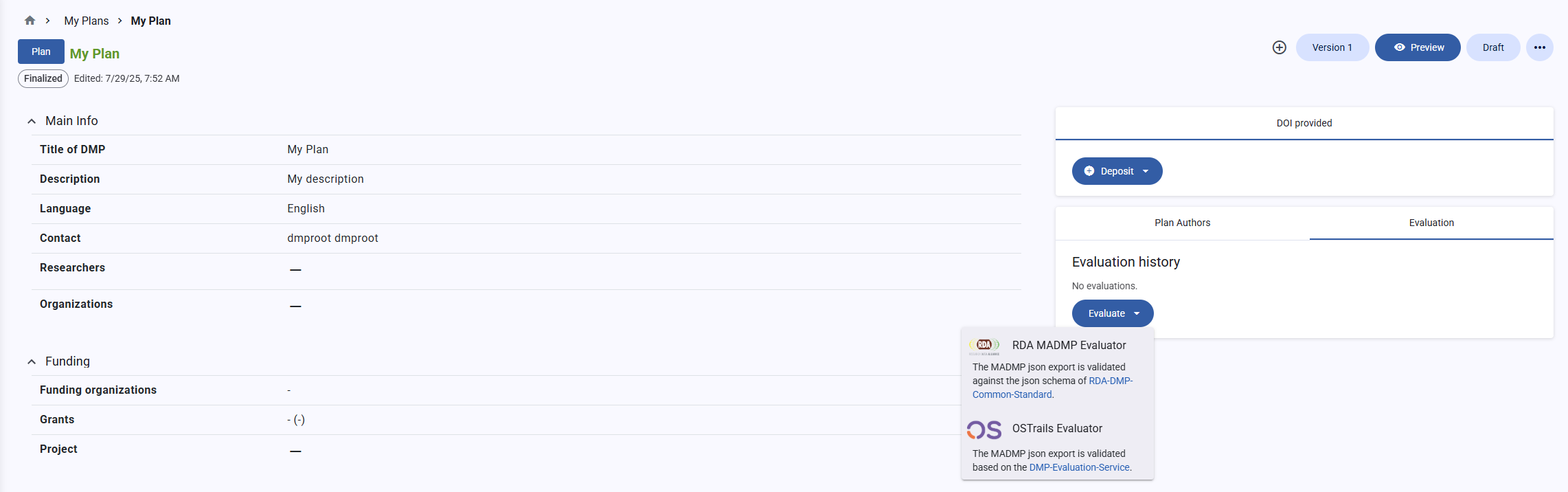 Evaluate a plan
Understanding the Results
The result dialog shows:
- Overall score — a summary score across all selected benchmarks.
- Per-benchmark breakdown — each benchmark is listed separately with its own score.
- Per-criterion detail — within each benchmark, individual criteria are listed with pass/fail status and explanatory messages describing what was checked and why it passed or failed.
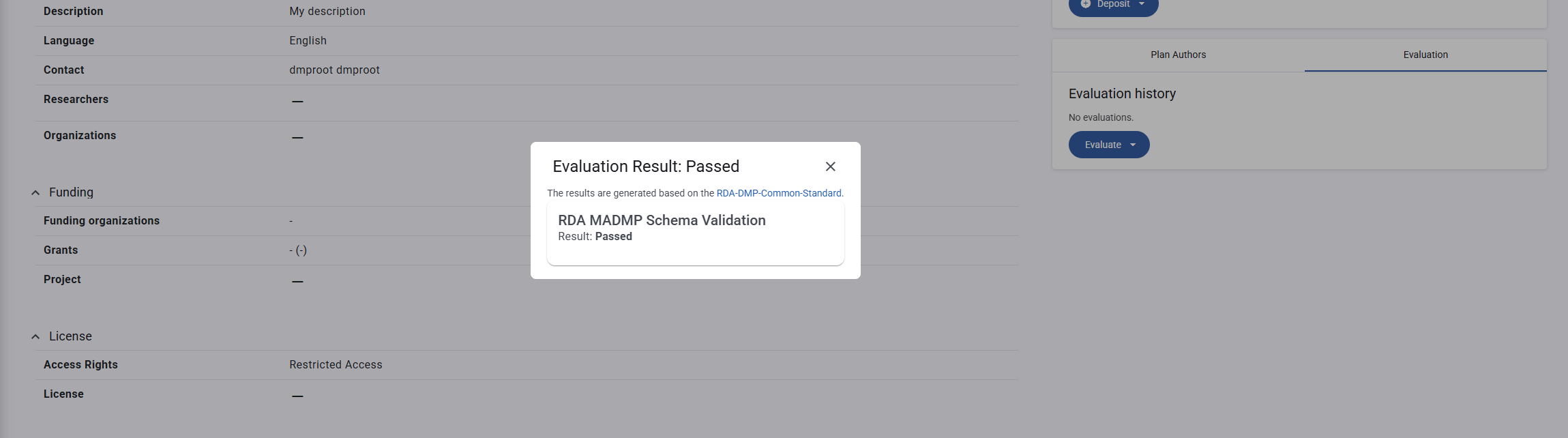 Evaluation result
Scores are displayed either as a numeric range (e.g., 0.0–1.0) or as a discrete outcome (e.g., Pass / Fail), depending on how the evaluator is configured.
Available Evaluators
Evaluator RDA maDMP
Checks whether a plan conforms to the RDA DMP Common Standard JSON schema (v1.2). The result shows which required fields are missing or invalid according to the RDA specification.
Description evaluation is not supported by this evaluator.
Evaluator OSTrails
Checks whether a plan or description aligns with the OSTrails metadata and policy framework. It assesses completeness, openness, and reproducibility of the research data management strategy.
Evaluator OpenAIRE FAIR
Assesses whether a plan meets FAIR principles (Findable, Accessible, Interoperable, Reusable) as defined by the OpenAIRE FAIR assessment service.
This evaluator requires the plan to have been deposited to a repository (e.g., Zenodo) before evaluation. The DOI from the deposit is used to retrieve the published record for assessment.
Acting on Results
When an evaluation reveals issues:
- Review the per-criterion messages — each explains specifically what is missing or incorrect.
- Return to the plan editor and fill in or correct the flagged fields.
- Re-run the evaluation to confirm the issues are resolved.
You can run evaluations as many times as needed. Evaluation does not modify the plan.
See Also
- Evaluator Services — the available evaluators and how they are configured
- Plan Overview — where the Evaluate button is located
- Deposit a Plan — required before running the OpenAIRE FAIR evaluator