Imports
You can import an existing plan so that you do not have to start from scratch. The import option is available from the plan listing page.
Supported Formats
| Format | Description |
|---|---|
| XML | OpenCDMP's native export format. Contains all plan and description data including blueprint structure. |
| JSON (RDA maDMP) | Machine-actionable DMP format following the RDA DMP Common Standard. Requires additional mapping during import. |
| JSON (RAiD) | RAiD project metadata format. Requires additional mapping during import. |
Additional JSON formats may be available depending on the file transformers your administrator has configured.
Importing an XML File
XML import is straightforward — the file already contains all structural information.
- Click Import on the plan listing page.
- Select your XML file.
- Optionally edit the plan title (defaults to the filename).
- Click Import. You are redirected to My Plans when complete.
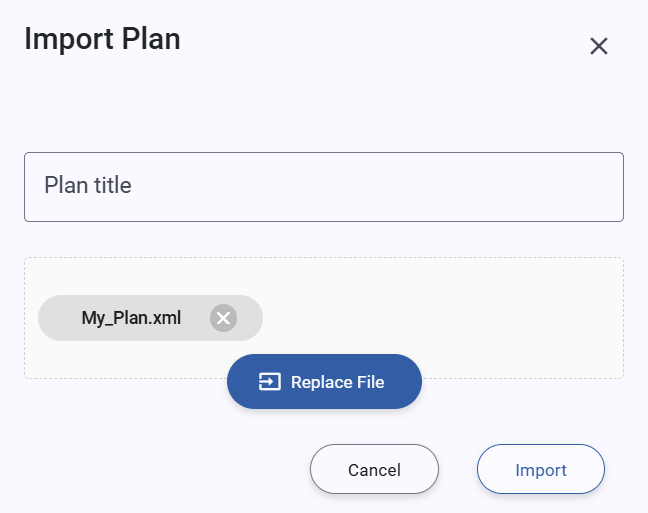 Import plan from XML file
Importing a JSON File
JSON formats (RDA maDMP, RAiD) do not include blueprint or template information, so an additional mapping step is required.
- Click Import on the plan listing page.
- Select your JSON file.
- If multiple JSON transformers are available, select the format that matches your file (e.g., RDA maDMP or RAiD).
- The platform analyses the file and extracts the descriptions it contains.
- A mapping form appears:
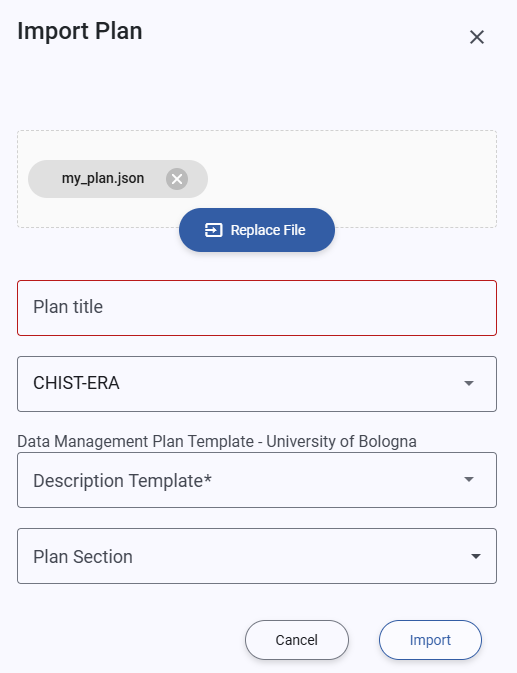 Import plan from JSON file
Completing the Mapping Form
| Field | Description |
|---|---|
| Plan label | The title for the imported plan. Pre-filled from the file where available. |
| Blueprint | The blueprint that defines the structure of the plan. Select the blueprint that best matches your plan's content. |
| Description template (per description) | The description template to use for each description found in the file. Click the eye icon to preview a template before selecting it. |
| Section (per description) | The section of the selected blueprint where the description will be placed. Only sections that accept description templates are shown. |
All fields are required. Once complete, click Import. You are redirected to My Plans when the import finishes.
info
Descriptions are always imported together with their parent plan. See Description Imports for more information.