Invite collaborators
The plan can be further edited by inviting users in order to collaborate on it and complete it. There are two methods to invite users:
- External: If the user is registered in the application, then a notification (email or in App) gets sent to him. If not, a registration email is being sent instead.
- Internal: It's a quick way, that we can invite users already associated to other plans we work with as well.
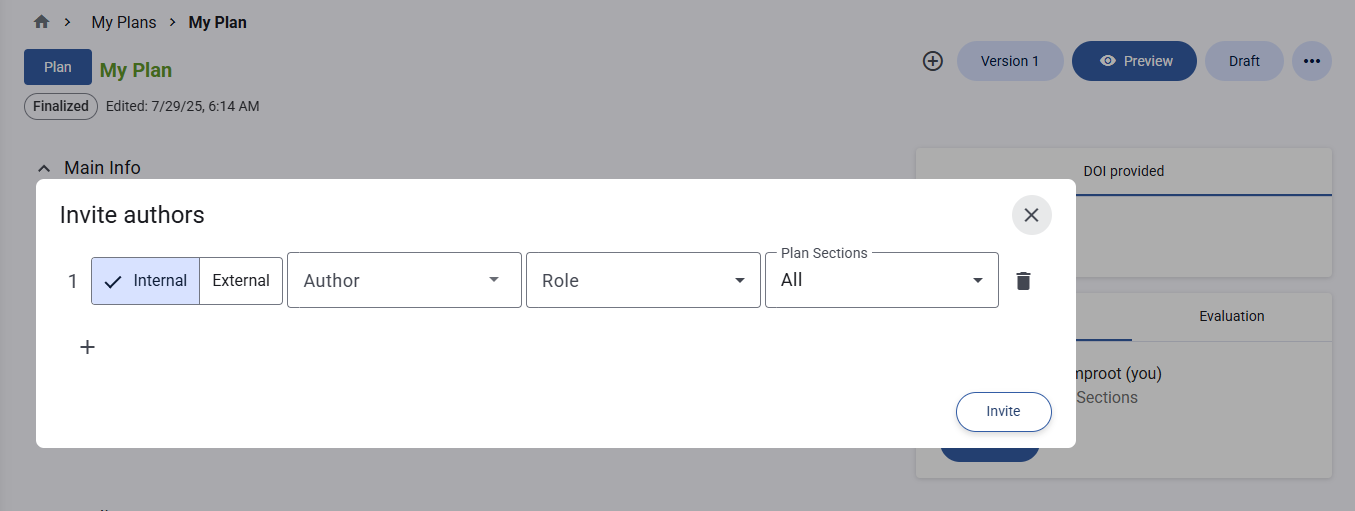 Invite users
For each member, a role on the plan must be defined. There are seven roles:
| Role | Capabilities |
|---|---|
| Owner | Full control — edit all plan content, manage collaborators, change status, deposit, delete |
| Description Contributor | Edit descriptions within the plan; view all plan content |
| Reviewer | View all plan content; create and reply to annotations |
| Viewer | Read-only access; export plan |
| Data Steward | View plan; perform data stewardship activities |
| Data Privacy Officer | View plan; perform privacy oversight activities |
| Ethics Reviewer | View plan; perform ethics review activities |
note
- All roles can view annotations on the entire plan.
- Roles can be applied to an entire plan or restricted to a specific section.