References
There are several cases where users need to provide information in their Plans or Descriptions not by typing free text, but by selecting values from predefined or externally sourced lists.
These selectable values are called references.
A very good example of a reference is the license of a plan. The license options can either be configured as an internal (static) or an external (API) source.
Source Type of References
References can be sourced in two main ways:
-
Static References:
These are predefined lists stored internally within OpenCDMP.
Examples include local lists of licenses, document types, or internal project categories.
Static references are fully managed by administrators. -
External (API) References:
These are dynamic sources connected to external systems or registries via APIs.
Adding a Reference Manually
When adding a new reference manually, the Add Reference form allows users to define the key information for that reference entry.
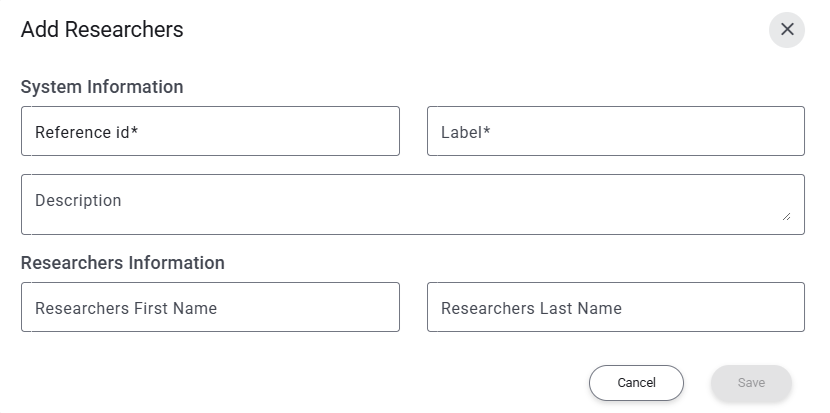
System Information
When creating a new reference, this is the fields that are required:
- Reference ID – a unique identifier for the reference entry.
- Label – the display name or title shown to users in selection lists.
- Description – a short explanation of the reference, clarifying its purpose or context.
This is optional.
These fields ensure that every reference has a consistent identity and is clearly understandable within the system.
Optional / Type-Specific Fields
Depending on the reference type, additional fields may appear. These fields capture specific metadata or attributes relevant to that type of reference.
For example:
- Researchers references require additional information such as:
- First Name
- Last Name
Other reference types might have their own extra fields, which are displayed automatically based on the selected reference configuration.
You can learn more about how to configure and manage reference types in the
Reference Types Administration section of the documentation.